

10 Best JavaScript Super Cool Features
You can start JavaScript easily but you will have to struggle a lot to master it. It is old with obsolete features and flexible with mysterious syntax's.
Updated

On this page
Key takeaways
- You can start JavaScript easily but you will have to struggle a lot to master it.
- console.log(Object.prototype.constructor === Object); // true The scope in which the function scope accesses the variables from the parent scope is called lexical scope.
- arms.called.caller refers to the function that invokes the current function.
You can start JavaScript easily but you will have to struggle a lot to master it. It is old with obsolete features and flexible with mysterious syntax’s. So during development, you may stumble upon it many times. That’s why I keep listing the features that can accelerate your development process.
1. Object.entries #
When you have to iterate over an object, you do it using Object.keys. With this method, you will get only an array of object keys.
But if you use Object.entries you will get the keys as well as the values.
cost employee = {
name: ‘Kyle’,
age: 30
};
Object.keys(person); // [’name’, ‘age’]
Object.entries(data); // [[’name’, ‘Kyle’], [‘age’, 30]]
While iterating over the object you will also do something which is mentioned below:
Object.keys(employee ).forEach((key) => {
console.log(${key} is ${employee [key]});
});
Object.entries(employee ).forEach(([key, value]) => {
console.log(${key} is ${value});
}); // name is ‘Kyle’
// age is 30 #
Of the two, Object.entries are the easier and quicker approach.
With the new Map() constructor, you can pass the entries of the object, something like this:
cost obj = { name: ‘Kyle ‘, age: 42 };
cost map = new Map(Object.entries(obj));
console.log(map); // Map(2) {“name” => “Kyle”, “age” => 42} #
So you can easily convert objects to maps.
2. String replaceAll Method #
The replaceAll() method will match the pattern in the string, then replace it with the replacement provided by it.
cost str = ‘The quick brown fox jumps over the lazy dog.’;
console.log(str.replaceAll(‘dog’, ‘monkey’));
// expected output: “The quick brown fox jumps over the lazy monkey.” #
The String.prototype.replaceAll() method replaces all occurrences of the string you want to replace.
We also use RegEx but it would be easier to use replaceAll() method than you write like this: str.replace(/a/g, ‘b?’);
3. === instead of == #
“==” is for automatic conversion when you need it whereas “===” does not support conversion.
“===” compares value and type, and is faster than “==”.
[20] === 20 // is false #
[20] == 20 // is true #
‘20’ == 20 // is true #
‘20’ === 20 // is false #
[] == 0 // is true #
[] === 0 // is false #
4. Typeof #
typeof returns the data type of the operand. The return data type is in the form of a string and represents the primitive type of a variable.
5. Constructor #
JavaScript provides the Object() function by default.
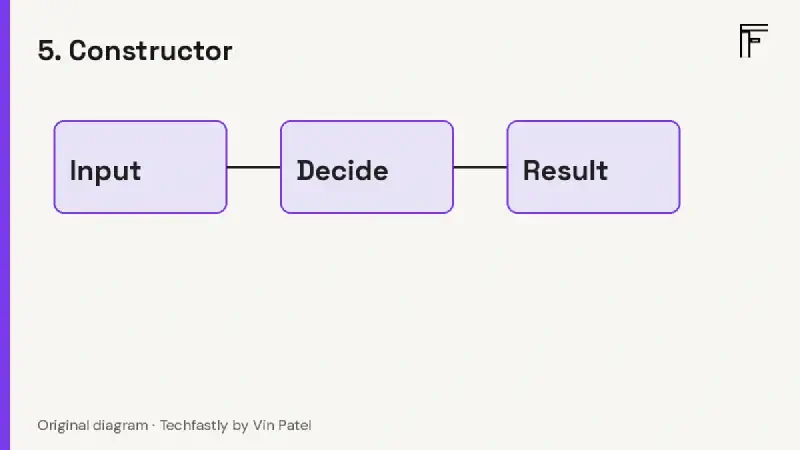
Original diagram for Techfastly by Vin Patel.
The point to be noted here is that here Object is a function and not an object. Yes, there is an anonymous object inside it. If you access its prototype property you will get a reference to it.

Original diagram for Techfastly by Vin Patel.
The Object.prototype method has many more methods and properties such as toString() and valueOf().
Let’s reiterate one more point quickly if a function is the value of a property of an object, it is called a method. Simply put, a method is the property of an object.
One of the important properties of Object.prototype for which I have explained to you so far is the constructor. The constructor refers to the “object” function.
console.log(Object.prototype.constructor === Object); // true
6. Lexical Scope #
The scope in which the function scope accesses the variables from the parent scope is called lexical scope. The function is declared after the variable declaration. The child function is lexically bound to the parent function. Child functions can access variables from their parent scope to global scope but vice verse is not possible.
// variable in the global scope: #
cost userName = “Jonathan”; #
// Call userName variable from getName function: #
function getName() { #
return userName; #
}
Definition space is lexical scope, and not the invocation space. userName is defined in the global environment, so its lexical scope is the global scope.
7. Find the elapsed time between two function calls #
The time name is passed as a parameter to the time method.
console.time(?timer1?);
var a = 15;
var b = 30;
for(let i = 0; i < 1e6; ++i){ #
[a, b] = [b, a] #
}
The same parameter is also passed to the timeEnd method.
console.timeEnd(?timer1?);
Now you will know what a valuable tool this is because the timeEnd method will print out the time elapsed. You are getting the time between two function calls. Now you will be able to easily see the bottleneck and reactor the code. Many modern browsers support it. It’s easier and better than getting the execution time manually.
8. With Map, you can cast the values in an array #
cost numArray = [?5?,?6?,?7?,?1.3412?,?-4500.1137?, [1.4115]]; #
cost castedNumArray = numArray.map(Number); #
console.log(castedNumArray);
//[[5, 6, 7, 1.3412, -4500.1137, 1.4115]; #
You can call it the easiest and most elegant solution for casting an array of numeric values as strings. When you pass Number as a parameter to the map method, it calls the constructor for each array’s value.
9. Remove duplicates using one-liner code #
If you want to remove duplicate values, this is an efficient way with only one-liner code.
cost numArray = [1,2,2,2,2,3,4,5,5,5,6,7]; #
cost fuitArray = [?apple?, ‘banana?, ‘apple?, ‘banana?]; #
Here a spread operator will be used which will expand the set and construct the array. An ellipsis of three dots(spread operator) expands any iterable whether it is an array or a string.
cost uniqueNumArray = […new Set(numArray)]; #
cost uniqueFruitArray = […new Set(fuitArray)]; #
console.log(uniqueNumArray); // [1,2,3,4,5,6,7];
console.log(uniqueFruitArray); //[?apple?, ‘banana?];
Read this document to go deeper.
10. Argument properties #
You will be well versed with the arguments object inside the function. It is basically an array-like object. It means there is a list of arguments available inside the function which was passed while invoking the function. But there are some other interesting properties to mention here as well:
arguments.called refers to the function that is currently invoked.
arms.called.caller refers to the function that invokes the current function.
cost unit = function(){ #
console.log(arguments.called.name);
console.log(arguments.called.caller.name);
} void function main(){
unit();
}()
//unit
//main
Learning of the called and the caller would be worthwhile as the concept is found in many compiled libraries.
Related reading