AirLLM Trends: 70B Models Now Fit on a Laptop GPU
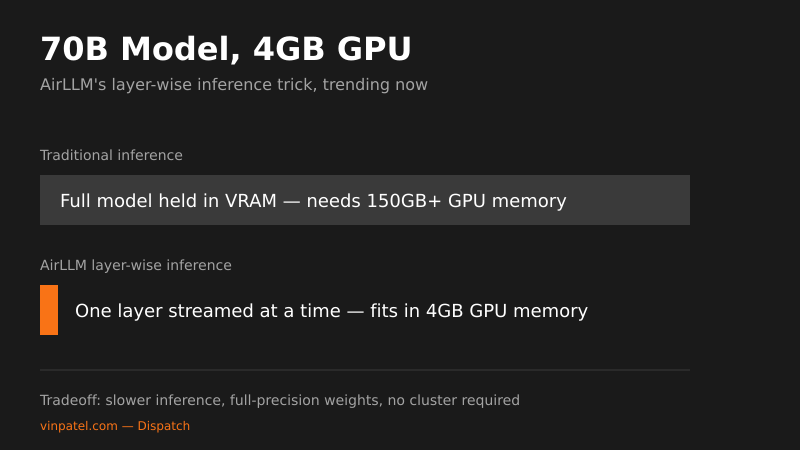
AirLLM's layer-wise inference trick is trending on GitHub, letting a single 4GB GPU run 70B-parameter models without buying an H100.
The signal: lyogavin/airllm is spiking on GitHub’s trending stargazers and forks lists, alongside Microsoft’s AI-For-Beginners curriculum climbing the same board.
Why it matters: AirLLM’s whole pitch is running 70B-parameter models on a single 4GB consumer GPU by loading and executing the model layer-by-layer instead of holding the entire weight set in VRAM at once. That’s the difference between needing a rented A100 cluster and running inference on a gaming laptop. For solo builders and small teams priced out of enterprise GPU budgets, this closes a real gap between “I read the paper” and “I shipped the demo.”
Does this actually let you run big models on cheap hardware?
Yes — that’s the entire mechanism, not a marketing claim. AirLLM streams model layers from disk into GPU memory one at a time, runs the forward pass, then discards and loads the next layer, trading VRAM for disk I/O and latency. You give up throughput and real-time responsiveness; you gain the ability to run models that would otherwise require $20k+ of hardware. This isn’t quantization or distillation — the model weights stay full-precision, which matters if you need output quality parity with the original checkpoint rather than a compressed approximation.
The pattern I’m watching: GitHub’s trending page right now is a split screen between two very different builder needs — AirLLM solving “how do I run models I can’t afford GPUs for,” and Microsoft’s AI-For-Beginners solving “how do I learn this fast enough to be useful.” Both are symptoms of the same thing: the gap between frontier lab capability and what an individual developer can actually deploy or understand is the real bottleneck right now, not model quality. Tools and curricula that shrink that gap are what actually spread — not another benchmark chart.
What I’d do with this: If you’re prototyping with open-weight 70B-class models and don’t want to pay for cloud GPU time on every experiment, clone AirLLM and benchmark it against your actual workload before you commit to a paid inference API — the latency tradeoff is real, so test with your specific prompts, not the README’s demo. If you’re newer to the space, pair it with something like AI-For-Beginners to understand what’s actually happening layer-by-layer instead of treating it as a black box — you’ll debug memory issues faster if you know why they’re happening.
Key takeaways
- AirLLM runs 70B-parameter models on a single 4GB GPU by streaming model layers into memory one at a time instead of loading the full model at once.
- The tradeoff is inference speed for accessibility — full-precision weights stay intact, but disk I/O becomes the new bottleneck instead of VRAM.
- Two very different trending repos today point to the same underlying constraint: capability isn’t the bottleneck in AI right now, deployability and education are.
- Builders without enterprise GPU budgets should benchmark layer-wise inference tools against their own prompts before assuming the latency hit is acceptable.